
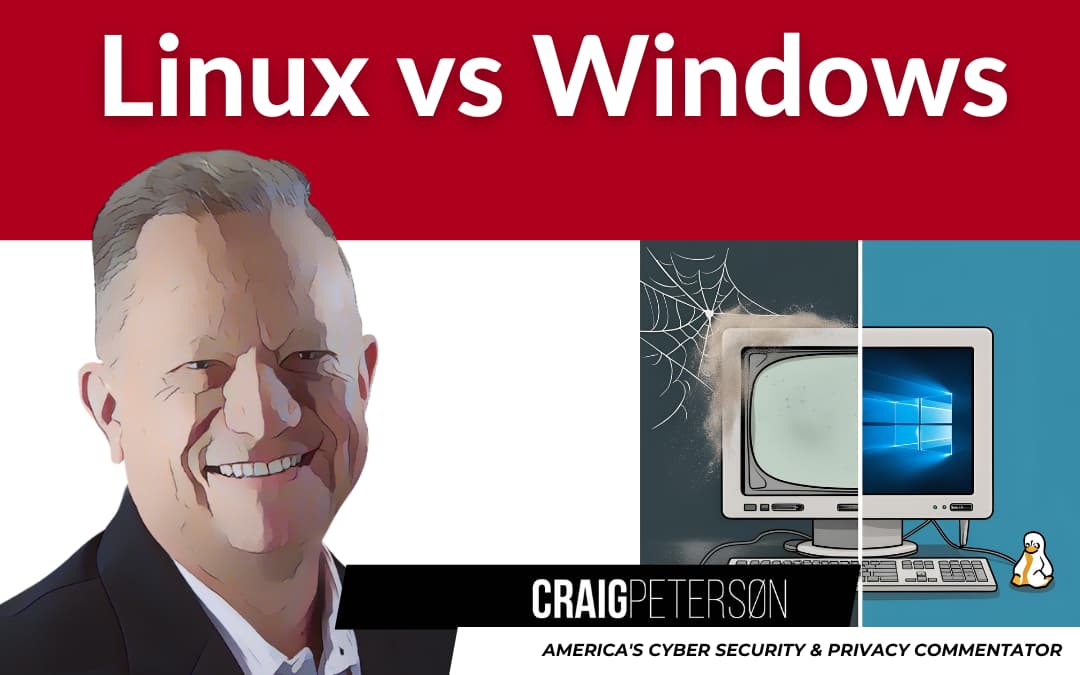
Hey folks! Remember that old Windows PC collecting dust in your office corner? The one that’s slower than Joe Biden on tranquilizers? Well, dust it off, because today we’re talking about how you might breathe new life into that aging machine without spending a dime. 🐧 #OldButGold #TechRejuvenation
The End of Windows 10 Is Coming, and It’s a Big Deal 😱
Picture this: It’s July 2025. “Uptown Funk” is somehow still getting radio play, and suddenly, millions of perfectly functional computers become digital sitting ducks because Microsoft has ended support for Windows 10. Talk about planned obsolescence that would make even the Spice Girls feel young again!
According to recent news from TechSpot, there’s a growing movement called the “End of 10” project that’s aiming to rescue these computers from the digital scrapheap by converting them to Linux.
But wait—isn’t Linux just for those techie folks who drink coffee at 2 AM and dream in code? Not anymore! #LinuxMyth
What the Heck is Linux Anyway? 🤔
For you non-techie business owners out there, let me break it down as simply as I can: Linux is like Windows, but it’s free, and it won’t sell your data to those hosers trying to bombard you with ads for stuff you googled once.
Remember when you bought that record player in the ’80s, and it came with an instruction manual thicker than your high school yearbook? Linux used to be like that—complicated and intimidating. But now? It’s more like setting up a smartphone. Click, drag, done. #SimpleIsBetter
Real Talk: When Does Linux Make Sense for Regular People? 💼
Example 1: The Small Accounting Firm
Take my buddy Mike who runs a small accounting firm in Boston. His team was using six Windows computers that were pushing 7 years old. They mainly needed them for web browsing, email, and using QuickBooks online.
“Craig,” he told me over clam chowder last month, “I was looking at dropping five grand on new machines. Then my nephew installed something called ‘Linux Mint’ on them over a weekend. Now they’re faster than my new laptop, and I didn’t spend a dime!” #SavedByLinux
The stats back this up. According to a 2022 survey by the Linux Foundation, small businesses that switched to Linux saved an average of $3,000-$5,000 in hardware costs per year. That’s a lot of clam chowder! Source
Example 2: The Community Library
Is your public library in a pickle? With budgets tighter than platform shoes from the ’70s, and public computers were running Windows 7 (yikes!), making them prime targets for those hosers looking to steal personal info.
Rather than begging for budget increases, they can work with a volunteer to install Ubuntu Linux in a matter of hours. The result? The computers can now boot up faster, the security is better, and they even saved on electricity because the system runs more efficiently. #CommunityWin
Example 3: My Friend From the Rotary Club (Yes, Really!)
I’ve been making Linux conversion recommendations to people for decades now. Rotary clubs exist in most communities throughout the western world with a goal of helping our local communities. One of my friends from my Rotary club (hi Pat!) was working in the insurance industry and had been using Windows for decades when he finally gave up on the Redmond behemoth.
He installed Linux Mint (a version specifically designed to look familiar to Windows users), configured his email and browser, and that was it. He’s even been using free Microsoft Office compatible free software (such as OpenOffice and LibreOffice).
Years later, and he hasn’t called me for tech support once. He’s been able to do the Linux conversion all by himself. The only thing she misses is the Solitaire game, but there is a free Linux version that you might like better! #TechForSeniors
When Linux Is NOT the Answer 🚫
Let’s be real here, folks. Linux isn’t always the right choice. If you’re running specialized Windows software that doesn’t have a Linux version (like certain CAD programs or industry-specific tools), you might be out of luck.
If you’re someone who struggles to figure out how to change the channel on your TV without calling your kids for help, Linux might present a learning curve—albeit a much gentler one than in years past.
And if you’re a hardcore gamer who needs the latest titles the second they drop, Windows still has the edge (though Linux gaming has improved dramatically). #HonestTalk
The “Aha!” Moment: Linux Security Is No Joke 🔒
Here’s something that might blow your mind harder than the twist ending of “The Empire Strikes Back” (sorry if that’s a spoiler, but c’mon, it’s been 40+ years): Linux is dramatically more secure than Windows, and its by design.
Why? Windows is like a house where almost every door and window is unlocked by default, and you have to go around securing each one. Linux is like a fortress where everything is locked down, and you have to specifically choose what to open up.
In 2022, there were over 25,000 known Windows malware variants. For Linux? Fewer than 300. Those are odds even a Vegas casino wouldn’t give you. https://av-atlas.com
When those hosers come knocking with ransomware, they’re typically expecting Windows. Linux gives them a much tougher time. If you do try Linux, consider using OpenDNS for additional protection. #CyberSecurity
How to Make the Switch (Without Tearing Your Hair Out) 🔄
If I’ve convinced you to give Linux a whirl, here’s the step-by-step even my Dad could follow:
- Back up your stuff! Use an external drive or cloud storage like Backblaze.
- Choose your flavor. For Windows refugees, try Linux Mint or Zorin OS.
- Create a “Live USB.” This lets you test Linux without installing it. The End of 10 project is making this even easier with specialized tools.
- Test drive it. Boot from the USB and see if you like it.
- Take the plunge. The installer will walk you through the process.
Remember when you switched from cassette tapes to CDs? There was a brief learning period, but then you wondered how you ever lived with having to fast-forward to find your favorite song. Linux is like that. #ChangeIsComing
Ready for 2FA? Make It Good 🛡️
While we’re upgrading systems, let’s talk about security. If you’re setting up new accounts in your Linux system, please use good two-factor authentication. Skip the text message method (those hosers can intercept those) and go with something like Duo instead. And while you’re at it, consider using 1Password to manage all those complex passwords you should be using. #SecurityFirst
The Bottom Line: When Linux Makes Perfect Sense
Linux is probably right for you if:
- Your computer usage mainly involves web browsing, email, and basic office tasks
- Your current computer is perfectly good hardware-wise, but Windows is slowing down
- You’re concerned about security and privacy
- You don’t want to spend money on new hardware or Windows licenses
- You’re tired of forced updates interrupting your work
Think twice about Linux if:
- You rely on specialized Windows software with no Linux alternative
- You’re extremely resistant to any change in your computing experience
- You have zero technical support available (though many Linux communities are incredibly helpful)
What You Can Do Today 🚀
- Inventory your tech: Identify any aging Windows computers that might benefit from Linux instead of replacement.
- Try before you commit: Use a Linux “live USB” to test the waters without changing your system.
- Start small: Convert one non-critical computer first to see how it goes.
Remember folks, sometimes the best solutions aren’t the newest or most expensive—they’re the smartest ones. That dusty old PC might just need a fresh perspective, not a trip to the recycling center.
Want more practical tech advice that won’t put you to sleep or require a computer science degree? Sign up for my free weekly emails at CraigPeterson.com.
Until next time, keep your systems updated and those hosers at bay!
Linux #Windows10 #SmallBusinessTech #EndOf10 #TechTips #CyberSecurity #DigitalTransformation #SustainableTech