
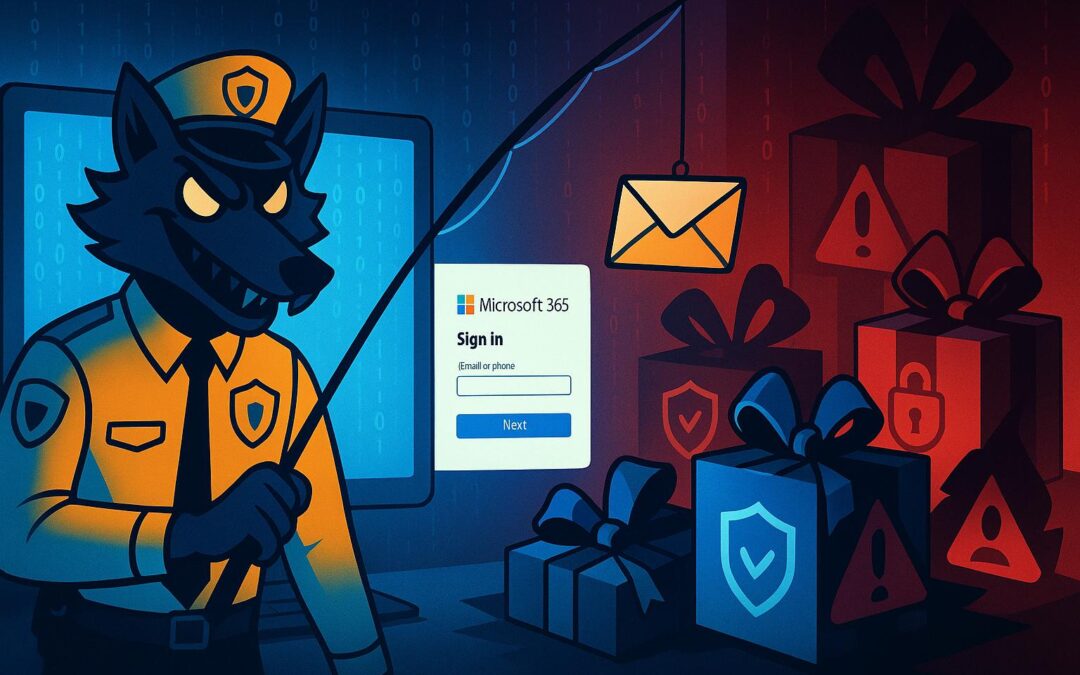
When Email Security Tools Become the Perfect Disguise for Hosers 🎭
How Cybercriminals Are Turning Your Protection Into Their Secret Weapon
Ever watch those old Scooby-Doo episodes where the bad guy dresses up like a security guard to sneak past everyone? Well, folks, that’s exactly what’s happening with your Microsoft 365 emails right now – except instead of a rubber mask, these hosers are using your own link-wrapping security tools as their costume. And let me tell you, it’s working better than Shaggy’s sandwich-making skills! 🥪
Quick Navigation
- 🔗 The Great Link-Wrapping Caper
- 📞 The Voicemail That Never Was
- 👓 Why Your Security Is Like a Bouncer Who Lost His Glasses
- 🛡️ The MFA Shield: Your Digital Kevlar Vest
- 🥋 Email Kung Fu: Training Your Team
- 🏰 Building Your Digital Fort Knox
- 🎬 The Plot Twist: When Good Features Go Bad
- 🚀 Your Action Plan: Three Things to Do RIGHT NOW
The Great Link-Wrapping Caper: How Security Became the Problem 🔗
Here’s the kicker – those fancy link-wrapping security tools your company uses? The ones from Proofpoint and Intermedia that are supposed to keep you safe? Yeah, the bad guys figured out how to use ’em like a Trojan horse. It’s like finding out your home security system is actually helping burglars case the joint!
Cloudflare just caught these hosers red-handed, and what they found is both brilliant and terrifying. These criminals are sending emails from accounts they’ve already broken into (probably from someone who clicked on a similar scam last week). They shorten their nasty links, and then – here’s the genius part – your security gateway rewrites those links again with its own “trusted” domain. So when you see that link, it looks totally legit because it’s coming from your own security system! #PhishingEvolved
Think about it like this: Remember in “The Empire Strikes Back” when Han Solo answered the Imperial comm saying everything was “perfectly all right now… we’re fine… we’re all fine here now… how are you?” That’s basically what these link-wrapping security features are doing – vouching for the bad guys without even knowing it!
The Voicemail That Never Was (And Other Classic Tricks) 📞
You know what gets me? These hosers aren’t even creative with their bait! They’re using the same old tricks your Uncle Larry fell for back in ’85, just with a modern twist. Here’s their greatest hits album:
“You’ve got a new voicemail!”
Really? In 2025, who’s leaving voicemails? My dentist doesn’t even leave voicemails anymore! But somehow, this one still works like a charm. The email looks urgent, has that official Microsoft logo, and boom – you’re typing your password into a fake login page faster than you can say “Fonzie jumped the shark.”
“Secure document for retrieval”
Oh, this one’s a classic! It’s like those chain letters from the ’70s, but digital. They make it sound super important, like it’s your tax returns or that contract you’ve been waiting for. Meanwhile, it’s just a one-way ticket to Hackerville, population: you. #Don’tClickThat
“New message in Microsoft Teams”
This is the modern equivalent of “You’ve got mail!” except Tom Hanks isn’t coming to save you. With everyone working from home these days, Teams notifications are like catnip for clicks. And those fake Zix encrypted messages? They’re banking on you not remembering if you actually use Zix or not. Spoiler alert: You probably don’t!
Why Your Link-Wrapping Security Is Like a Bouncer Who Lost His Glasses 👓
Let me break this down in terms even my neighbor’s kid could understand. You know how bouncers at clubs check IDs? Well, link-wrapping security tools are supposed to be like digital bouncers, checking if websites are legit before letting you in. But here’s the problem – these bouncers are checking a list of known troublemakers, and if your hoser isn’t on that list yet, they get waved right through!
It’s like having a “Most Wanted” poster from 1982 at the door. Sure, you’ll catch the Breakfast Club if they show up, but today’s criminals? They’re sailing right past! The wrapped link looks trustworthy because it’s got that security company’s stamp of approval, even though the destination is shadier than a used car lot at midnight.
⚠️ Real-World Warning Story
Here’s a real story that’ll make your hair stand up: Last month, a dental office in Buffalo – let’s call them “Bright Smiles Dental” – got hit with this exact scam. The office manager, Sharon, got an email about a “secure patient document” that needed immediate attention. The link had Proofpoint’s domain right there in the URL, so she figured it was safe. Twenty minutes later, the hosers had access to their entire patient database and were sending the same scam to everyone in their contact list. Sharon’s still beating herself up about it, but honestly? The link-wrapping security system she trusted basically handed the keys to the criminals! #TrustButVerify
The MFA Shield: Your Digital Kevlar Vest 🛡️
Alright, folks, time for some real talk. If you’re not using Multi-Factor Authentication (MFA) on your Microsoft 365 account in 2025, you’re basically leaving your front door open with a sign that says “Free TVs Inside!”
But here’s the thing – not all MFA is created equal. Those text message codes? They’re like putting a bike lock on a bank vault door. Sure, it’s something, but hosers have ways around it. What you really want is something like Duo (https://duo.com) – it’s like having a bouncer, a guard dog, AND your mom checking who you’re hanging out with, all rolled into one!
Think of MFA like those child-proof caps on medicine bottles. Are they annoying? Sure. Do they slow you down when you’ve got a headache? Absolutely. But they also keep the wrong people from getting into stuff they shouldn’t. And trust me, dealing with a few extra seconds of login time beats explaining to your customers why their data is being sold on the dark web!
Email Kung Fu: Training Your Team to Spot the Fakes 🥋
Remember Mr. Miyagi teaching Daniel-san? “Wax on, wax off?” Well, spotting phishing emails is the same deal – it’s all about repetition and muscle memory. You gotta train your people until checking URLs becomes as natural as looking both ways before crossing the street.
Training Technique #1: The Hover Maneuver
Before clicking ANY link, hover your mouse over it like you’re defusing a bomb in an ’80s action movie. See where it really goes. If the URL looks like someone mashed their keyboard while sneezing, it’s probably not from Microsoft! #HoverBeforeYouClick
Training Technique #2: Question the Urgency
Real companies don’t threaten to delete your account in 24 hours. That’s like getting a ransom note written in crayon – it’s obviously fake! Microsoft isn’t sitting there with their finger on the delete button, waiting for you to miss a deadline.
Training Technique #3: Use a Password Manager
Use 1Password. I know, I know – another thing to remember, right? Wrong! It’s the one thing that remembers everything else FOR you. Plus, it won’t auto-fill on fake sites, which is like having a canary in your digital coal mine.
Success Story: A marketing firm in Rochester dodged a bullet last week because their intern – yes, the intern! – noticed something fishy. The email said “Click here to view your Microsoft Teams massage.” Massage, not message! The kid saved the whole company because he actually read the email instead of panic-clicking. Give that intern a raise! 🎉
Building Your Digital Fort Knox 🏰
Now, let’s talk about hardening your defenses like you’re preparing for the zombie apocalypse (which, let’s face it, seemed more likely in 2020, but we’re still here!). Your link-wrapping security tools aren’t enough – you need layers, like a good lasagna or that outfit you wore in 1987.
🔒 Defense Checklist
- Block newly registered domains: If a website was born yesterday, it probably shouldn’t be asking for your password today!
- For businesses: Get yourself some OpenDNS or Cisco Umbrella. These are like having a food taster for your internet.
- For home users: Windows Defender is actually pretty solid these days. It’s come a long way from the digital equivalent of a screen door!
- Monitor sign-ins: If someone’s logging into your Microsoft 365 from Romania at 3 AM, and you’re sleeping in Rhode Island, something’s definitely up!
The Plot Twist: When Good Features Go Bad 🎬
Here’s the “aha!” moment that’ll blow your mind like finding out Darth Vader is Luke’s father (sorry, 47-year-old spoiler alert!). The very features designed to protect us – these link-wrapping security services – have become the perfect camouflage for criminals. It’s not a bug; it’s a feature being used against us!
Statistics show that 91% of successful cyberattacks start with a phishing email (source: Deloitte). But here’s the kicker – when those phishing emails come wrapped in legitimate security domains, the success rate jumps even higher. We’re literally training people to trust the wrapper, not question the candy inside!
⚠️ Case Study: When Trust Backfires
A small accounting firm in Providence learned this the hard way last month. They had top-notch email security, complete with link-wrapping protection from a major provider. But when their bookkeeper got an email about a “secure tax document” with a wrapped link, she clicked without thinking. The hosers got in, filed fraudulent tax returns for half their clients, and caused a mess that took months to clean up. The irony? Their security report showed the email as “clean” because the link wrapper was doing its job – just not the job they thought it was doing! #IronyIsntDead
Your Action Plan: Three Things to Do RIGHT NOW 🚀
Alright folks, enough doom and gloom. Let’s get practical! Here are three things you can do faster than you can say “Marty McFly”:
Enable MFA Today (Like, Right Now!)
Stop reading and go turn on Multi-Factor Authentication for your Microsoft 365 account. Use Duo (https://duo.com) if you can – it’s easier than teaching your parents to use Netflix. Don’t use SMS if you can help it; those hosers can intercept texts easier than intercepting a pass from a rookie quarterback.
Create a “Verify First” Culture
Make it cool to double-check! Start a company policy where anyone who catches a phishing attempt gets a shout-out (or a gift card, or an extra break – whatever motivates your crew). When someone says, “Hey, did you really send this?” reward them, don’t roll your eyes. Make skepticism sexy!
Test Your Defenses
Run a fire drill, but for phishing! Send out a fake (but harmless) phishing email to your team and see who bites. Don’t shame the ones who click – train them! It’s like those tornado drills we did in school, except useful. And way less scary than hiding under desks while sirens wail.
The Bottom Line: It’s Not Paranoia If They’re Really After You 🎯
Look, I get it. Technology feels like it’s moving faster than a DeLorean hitting 88 mph, and these hosers keep finding new ways to trick us. But here’s the thing – you don’t need to be a tech wizard to protect yourself. You just need to be smarter than someone clicking without thinking.
Remember, these criminals are turning link-wrapping security tools into their secret weapon. But now you know their trick! It’s like knowing how the magician does the rabbit-in-the-hat thing – once you see it, you can’t unsee it.
The truth is, automatic link scanning alone is about as effective as a chocolate teapot. You need layers of defense AND smart people who question everything. Trust but verify, as Reagan used to say (though he probably wasn’t talking about email links).
So next time you get an email about that urgent voicemail, that critical document, or that Teams message that just can’t wait – take a breath. Channel your inner Columbo. Ask yourself, “Just one more thing… is this really legit?” Because in 2025, a healthy dose of skepticism isn’t just smart – it’s essential.
Stay One Step Ahead of the Hosers! 📧
Want more tips on outsmarting these digital hosers? Join thousands of smart business owners who get my weekly Insider Notes Newsletter!
Sign Up for Free Weekly Emails at CraigPeterson.com
I promise they’re 100% legitimate – you can even hover over the links to check! 😉
#LinkWrappingSecurity
#PhishingPrevention
#Microsoft365Security
#CyberSecurity2025
#MFAMatters
#EmailSecurity
#DigitalSafety
#HosersGonnHose
#SecurityAwareness
#TrustButVerify
Stay safe out there, folks! And remember – in the battle against digital hosers, paranoia is just good planning! 🚀