The Windows Update Dance 🛠️
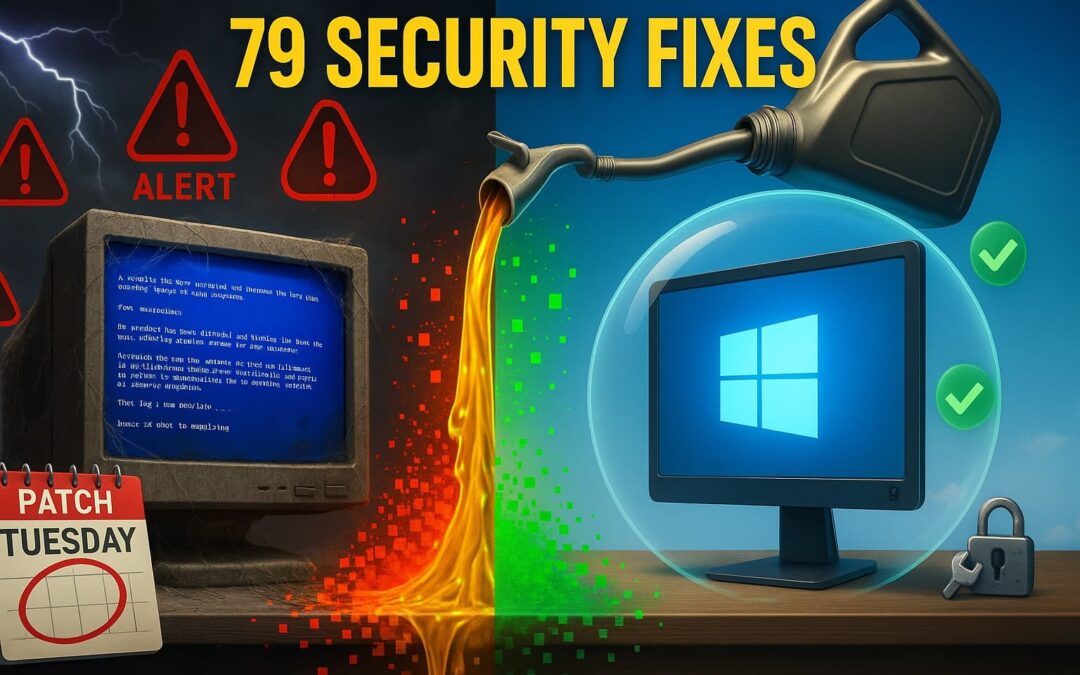
Why Your September 2025 Patches Are Like That Oil Change You Keep Putting Off
Hey folks, let me ask you something – how many times this year have you done the Windows update dance? You know the one I’m talking about. Your computer nags you with that little notification, you click “remind me later” for the fifteenth time, and then wonder why your machine runs like it’s powered by hamsters on a wheel. Well, grab your coffee ☕ because we need to talk about why patching Windows is like changing your oil – it’s boring as watching paint dry, but if you don’t do it today, you’re gonna break down tomorrow.
Quick Navigation
The September 2025 Patch Tuesday Bonanza 🎉
Microsoft just dropped their September 2025 Windows update collection, and let me tell you, it’s a doozy. We’re talking 79 security fixes here, folks. That’s not a typo – seventy-nine! Seven of these bad boys are what the tech wizards call “critical,” which in plain English means the hosers out there can take over your computer faster than you can say “Fonzie was right.”
Think about it like this: Your Windows computer is like your house. These patches are basically fixing 79 different ways burglars could break in. Would you leave 79 windows and doors unlocked in your actual home? I didn’t think so! #WindowsUpdate #CyberSecurity
Why This Windows Update Dance Matters More Than Your Morning Coffee ☕
The “I’ll Do It Tomorrow” Syndrome
Remember that episode of Happy Days where Richie kept putting off his homework until the last minute? That’s exactly what most of us do with Windows updates. But here’s the kicker – while Richie just got a bad grade, you could lose your entire business to some hoser sitting in their mom’s basement halfway around the world.
Patching Windows isn’t just about keeping your computer running smooth – it’s about keeping the bad guys out. According to a recent study by Cybersecurity Ventures, 60% of small businesses that suffer a cyber attack go out of business within six months. That’s not a statistic you want to become part of, trust me.
⚠️ Real Story Alert
I had a buddy who runs a small accounting firm in Jersey. Guy’s name is Tony (of course it is). Tony kept dismissing those Windows update notifications for three months straight. “I’m too busy during tax season,” he’d say. Well, guess what happened? Some hosers encrypted all his client files right before the April deadline. Cost him $15,000 and half his clients. Now Tony patches Windows religiously every month. Don’t be like pre-ransomware Tony. #LearnFromOthers
The Critical Seven: Your Windows Update VIP List 🚨
Breaking Down the Big Bads
This month’s Windows update includes fixes for some real nasty vulnerabilities. We’re talking about CVE-2025-38226, a Windows Mark of the Web bypass that’s already being exploited in the wild. In normal people speak? It means hosers can trick your computer into running malicious files that look totally innocent. It’s like a wolf in sheep’s clothing, except the wolf wants your bank account info.
Then there’s the Microsoft Outlook vulnerability that lets attackers steal your authentication credentials. Imagine someone stealing your house keys by just sending you a weird-looking email. That’s essentially what this bug allows. Pretty scary stuff, right?
Patching Windows takes care of these problems before they become YOUR problems. It’s like getting a vaccine – a little inconvenient now, but way better than getting sick later. #PreventionIsKey
The Real Cost of Skipping Your Windows Update Dance 💸
When “I Don’t Have Time” Costs You Everything
Let’s talk turkey here. The average Windows update takes what, 15-30 minutes? Maybe an hour if you’ve been really neglecting things? Now compare that to the average ransomware recovery time: 21 days. That’s three weeks of your business being completely dead in the water.
🚫 Cautionary Tale
Sarah from Connecticut learned this the hard way. She runs a small marketing agency and thought patching Windows was something only “paranoid IT people” worried about. Then one Tuesday morning, all her files had a nice little “.locked” extension, and the hosers wanted $50,000 to unlock them. She didn’t have backups (another story for another day), and she definitely didn’t have fifty grand lying around. Her business never recovered.
But here’s the thing – that specific attack? It exploited a vulnerability that Microsoft had patched six months earlier. If Sarah had just done her Windows updates, she’d still be in business today. #DontBeLikeSarah
Making Windows Update Your New Best Friend 🤝
The Set-It-and-Forget-It Approach
Alright, so you’re convinced you need to start patching Windows regularly. Great! But how do you make it less painful than a root canal? Here’s my foolproof system:
Pick Your Patch Day
Microsoft releases updates on “Patch Tuesday” – the second Tuesday of every month. Mark your calendar for the Wednesday after. That gives the early adopters a day to find any bugs (they’re doing you a solid, really).
Set Up Automatic Updates
Go to Settings > Windows Update > Advanced Options. Turn on “Receive updates for other Microsoft products” because those hosers don’t just target Windows – they go after Office, Edge, and everything else too.
Schedule Your Active Hours
Windows won’t restart during these times. Be honest about when you actually work – don’t set it for 6 AM to midnight unless you’re really pulling those hours.
Layer Your Defense
Use Windows Defender (it’s free and already on your computer!) along with something like OpenDNS or Cisco Umbrella if you’re running a business. Think of it as a bouncer and a security camera system working together.
The “But What About Compatibility?” Excuse 🙄
Why Your Ancient Software Isn’t Worth the Risk
I hear this one all the time: “But I can’t update because my [insert ancient program here] might stop working!” Listen, if you’re still running software from when Reagan was president, we need to have a different conversation. But let’s assume you’ve got a legitimate business need for that old program.
Here’s what you do: Create a system restore point before patching Windows. It’s like a safety net for your computer. If something breaks (rare, but it happens), you can roll back. Here’s how:
- Type “Create a restore point” in the Windows search bar
- Click “Create” and give it a name like “Before September 2025 Update”
- Run your Windows update
- Test your important programs
- If something’s broken, restore from that point
But honestly? In my 20+ years doing this, I’ve seen maybe a handful of cases where a Windows update legitimately broke critical business software. You’re more likely to get struck by lightning while winning the lottery. #JustDoIt
The Bottom Line: Windows Update Today or Cry Tomorrow 😭
Look folks, I get it. Patching Windows feels about as exciting as watching grass grow. But here’s the thing – we don’t change our oil because it’s fun. We don’t go to the dentist because we enjoy it. We do these things because the alternative is way, way worse.
Every time you skip that Windows update, you’re basically leaving your digital door wide open with a sign that says “Rob me!” to every hoser with an internet connection. And trust me, they’re looking for folks just like you – the ones who think it won’t happen to them.
Your Action Plan: Three Steps to Windows Update Success 🎯
1. Update RIGHT NOW ⏰
Seriously, stop reading and go check for updates. Windows key + I, then Update & Security. If you see updates waiting, install them. I’ll wait…
2. Set Up Your Defense Team 🛡️
- Enable automatic Windows updates
- Install Windows Defender (it’s already there, just make sure it’s on)
- Consider Duo.com for two-factor authentication (way better than SMS)
- Use 1Password for your passwords (because “password123” isn’t cutting it)
- If you’re a business, look into Cisco Umbrella
3. Make It a Habit 📅
Put a recurring reminder in your calendar for the second Wednesday of every month. Call it “Oil Change Day” if that helps you remember why patching Windows matters. Make it non-negotiable, like payroll or paying rent.
The truth is, Windows updates are like vegetables – nobody really loves them, but smart people know they need them. Don’t wait until you’re Tony or Sarah to learn this lesson. The hosers are out there right now, scanning for unpatched systems. Don’t let yours be the one they find.
Remember Tony and Sarah? They thought the same thing. Now Tony’s religious about his updates, and Sarah… well, Sarah’s working for someone else now. Which story do you want to be?
📧 Want More Security Tips?
Join thousands of smart business owners who get my weekly Insider Notes Newsletter!
Sign up for FREE at CraigPeterson.com
I promise to keep the tech talk simple and the advice practical. Because at the end of the day, patching Windows shouldn’t be rocket science – it should be as automatic as locking your door at night.
Stay safe out there, folks! 🛡️
#WindowsUpdate #PatchTuesday #CyberSecurity #SmallBusinessSecurity #September2025 #PatchingWindows #WindowsSecurity #StaySecure